
In This Article
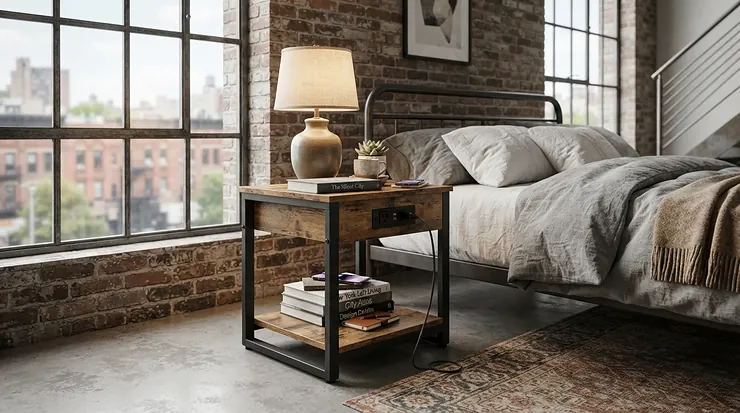
Count the cables next to your bed right now. Phone charger, watch puck, earbuds case, maybe a lamp cord doing its best spaghetti impression. A nightstand with charging station and USB ports kills that mess at the source. The outlets live inside the furniture, and the cords vanish behind the cabinet instead of draping across the floor like tripwires.
The category has exploded, which is both good news and a headache. Dozens of near-identical listings promise “fast charging” and “smart” features. The details that matter are port types, outlet placement, drawer material and certification, and they hide in the fine print. This guide cuts through that. We compared seven real models across budget, mid-range and premium tiers, using published specs and aggregated review sentiment. Every spec is translated into what it means when you’re groping for your phone at 2 AM.
You’ll also see how a nightstand with USB outlet compares with a bedside power strip. We cover whether a built-in wireless charging pad is worth paying for (the Qi standard behind most of them is simpler than it sounds). And we sort the smart bedroom furniture features that earn their keep from the ones that just blink at you.
What Is a Nightstand With Charging Station and USB Ports?
A nightstand with charging station and USB ports is a bedside table with a built-in power hub. It typically offers two AC outlets plus USB-A and USB-C ports, and sometimes a wireless charging pad. You can charge phones, watches and lamps without a separate power strip, while a rear cable hole keeps cords hidden from view.
Quick Comparison Table: 7 Charging Nightstands at a Glance
| Product | Charging Setup | Standout Feature | Price Range | Best For |
|---|---|---|---|---|
| SUPERJARE 3-Tier Nightstand | 2 AC, 1 USB-A, 1 USB-C | Lowest cost of entry | Roughly $25–$40 | Dorms, guest rooms |
| Huuger 27.6-Inch Nightstand | 2 AC, 1 USB-A, 1 USB-C | Tall, 3 fabric drawers | Roughly $55–$80 | All-round bedroom use |
| LIKIMIO Nightstand | Built-in power strip, remote LED | Soft-close drawers | Roughly $70–$100 | Light sleepers |
| Fultyle Mid Century Nightstand | 2 AC, 1 USB-A, 1 USB-C | Fluted walnut-look design | Roughly $60–$90 | Style-driven bedrooms |
| Lvifur LED Nightstand | 15W wireless pad, USB-A, USB-C | Tempered glass top, auto-sensor light | Roughly $95–$150 | Wireless charging fans |
| ADORNEVE Black Nightstand | 2 AC, 2 USB in top drawer | Hidden in-drawer hub | Roughly $80–$130 | Clean, minimalist tops |
| LOAKEKEL Narrow Set of 2 | 2 AC, 1 USB-A, 1 USB-C each | Pair for couples | Roughly $80–$120 per pair | Tight spaces, couples |
Prices are approximate ranges at the time of research and may vary, so check current price before buying. The table splits on two questions: do you want wireless charging, and how much storage do you need? The Lvifur is the only wireless-first option here. The Huuger and SUPERJARE give you the most charging per dollar. The LOAKEKEL wins on cost per nightstand if you need two.
💬 Just one click — help others make better buying decisions too!😊
Top 7 Nightstands With Charging Station and USB Ports: Expert Analysis
1. SUPERJARE 3-Tier Nightstand — cheapest full charging suite
The headline here is a complete charging kit at a price that rivals a decent dinner out.
You get two AC outlets, one USB-A port and one USB-C port, plus three open tiers and a fabric drawer you can move between them. In practice, a phone, a watch charger and a lamp can all run at once. The movable drawer lets you reserve a tall tier for a book stack or a lamp base. The frame is metal with particle-board panels and weighs roughly 12 pounds, so it’s easy to shove aside for vacuuming but a little tippy if you lean on it.
Based on the spec comparison, this is the pick for guest rooms, dorms and first apartments, where “built in twenty minutes and good enough” beats heirloom craftsmanship. Reviewers consistently describe it as strong value, and its roughly 4.5-star average across thousands of reviews supports that. A common complaint is that the faux-wood finish and light weight feel budget, and the fabric drawer sags if you overstuff it.
Pros:
- ✅ Full charging suite at the lowest price here
- ✅ Adjustable fabric drawer adds layout flexibility
- ✅ Easy, tool-light assembly with numbered parts
Cons:
- ❌ Lightweight, budget-feeling build
- ❌ No wireless charging or built-in lighting
Price range: roughly $25–$40 at the time of research, which is excellent value if you accept the featherweight feel.
2. Huuger 27.6-Inch Nightstand — tall enough to reach from bed
The extra height is the story: at 27.6 inches, the top sits near mattress level.
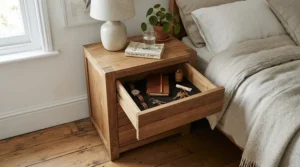
The footprint is slim at about 15.7 inches wide and 11.8 inches deep. Three fabric drawers and an open shelf sit beneath a top hub with two AC outlets, one USB-A and one USB-C port. Listings describe FSC-certified particle board over a powder-coated steel frame with four adjustable feet, which matters on uneven floors. One published third-party test reported roughly 15W from the USB-C port to a recent iPhone, which is plenty for an overnight top-up.
What most buyers overlook is how much the height changes daily use. You can set a phone down and pick it up without bending or fishing for it. This is the safest all-rounder for couples, guest rooms and primary bedrooms alike. Buyer feedback is broadly positive, with a 4.5-star average across thousands of reviews. The recurring complaints are that the fabric drawers can’t take heavy hardcovers and that there’s no wireless pad.
Pros:
- ✅ Bed-height top makes reaching devices effortless
- ✅ Three drawers plus an open shelf
- ✅ Adjustable feet steady wobbly floors
Cons:
- ❌ Fabric drawers sag under heavy books
- ❌ No built-in wireless charging pad
Price range: roughly $55–$80 depending on color and retailer, which is a solid mid-range value.
3. LIKIMIO Nightstand — soft-close drawers for light sleepers
The soft-close slides are the quiet hero.
This model pairs a built-in charging station with two soft-close drawers and a remote-controlled LED light. The listing-level weight capacity is around 110 pounds. That means a lamp, a stack of books and a tablet won’t make the top creak. One published test also notes a flip cover that hides the outlets, which helps keep the top looking tidy.
Here’s what to weigh: soft-close hardware sounds like a luxury until a partner sleeps lightly. A drawer that can’t slam at 3 AM is a real quality-of-life upgrade. Reviewers rate it around 4.5 stars across a smaller pool of several hundred reviews. The most common gripes are that the remote is tiny and easy to lose, and that there’s no wireless pad. If you misplace small objects often, a model with built-in light controls may suit you better.
Pros:
- ✅ Soft-close drawers prevent noisy slams
- ✅ Remote-dimmable LED lighting
- ✅ High weight capacity for a lamp and books
Cons:
- ❌ Small remote is easy to lose
- ❌ No wireless charging pad
Price range: roughly $70–$100, a fair premium if quiet matters to you.
4. Fultyle Mid Century Nightstand — fluted looks without the designer price
The fluted drawer front and gold handles are doing the heavy lifting.
The charging ports sit on the back panel: two AC outlets, one USB-A and one USB-C. At only about 11.8 inches deep, it slips into narrow gaps between bed and wall. Walnut-look laminate covers the engineered wood, and the legs are reported to be real wood. The USB-A port is commonly listed at 5V/2.4A, about 12W. That’s fine for a slow overnight charge, but the USB-C port is the one to use for anything in a hurry.
On paper, this is a design-first purchase with charging as a bonus. The single drawer plus open shelf is fine for a phone, a book and a glass of water, but not for a CPAP or a heap of cables. The listing carries a roughly 4.4-star average across several hundred reviews, and buyers praise the look. The complaints cluster around the limited storage and the lack of wireless charging.
Pros:
- ✅ Mid-century fluted styling stands out
- ✅ Slim 11.8-inch depth fits tight spaces
- ✅ Real wood legs reported by reviewers
Cons:
- ❌ Single drawer limits hidden storage
- ❌ No wireless charging pad
Price range: roughly $60–$90, which is good value for the look.
5. Lvifur LED Nightstand — wireless pad built into a glass top
Here the wireless charging pad lives right in the tabletop.
Listings describe a 15W wireless pad, a USB-A port and a USB-C port, and the three-color auto-sensor light switches on as you approach. The tempered-glass top wipes clean, the frame uses FSC-certified wood, and the listing shows about 16″D x 24″W x 18″H (dimensions vary by variant, so measure). It also has three drawers, three open compartments and a stated 200-pound recommendation. The trade-off is that the headline specs list no AC outlets, so your bedside lamp needs another socket.
Based on the spec comparison, this is the one to buy if “drop phone, walk away” is the goal. It also suits an iPhone 12 or newer with a compatible case. The listing sits around a 4.6-star average, though with a smaller review pool. It’s heavy, roughly 40–46 pounds depending on the source, and it costs noticeably more than fabric-drawer models.
Pros:
- ✅ Cable-free 15W wireless charging on top
- ✅ Easy-clean tempered glass surface
- ✅ Auto-sensor light for night navigation
Cons:
- ❌ Heavy and priciest in this lineup
- ❌ No AC outlets listed for lamps
Price range: roughly $95–$150, worth it if wireless charging is your daily habit.
6. ADORNEVE Black Nightstand — charging hub hidden in the top drawer
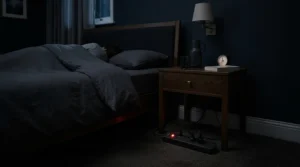
The charging hub hides inside the sliding top drawer, so the surface stays clean.
Inside you get two AC outlets, two USB ports and an on-off switch. RGB lighting adds app control, and the whole piece weighs about 42 pounds, so it stays put. That on-off switch is handy: you can cut power to the whole hub without unplugging anything. The catch is that cords exit through the drawer, so it sits slightly ajar while you charge.
What the spec sheet won’t tell you, but buyers note, is that this layout rewards people who already keep their phone in a drawer. If you like glancing at your screen overnight, the open drawer works against you. The listing sits around 4.4 stars across a couple thousand reviews. Feedback praises smooth rails and the lighting, while the weight and the ajar-drawer routine are the common drawbacks.
Pros:
- ✅ Clean top surface for a lamp and a glass
- ✅ Handy on-off switch for the hub
- ✅ Smooth sliding drawer with app-controlled lighting
Cons:
- ❌ Drawer stays open while charging
- ❌ Heavy to move or reposition
Price range: roughly $80–$130, a fair price for the hidden-hub concept.
7. LOAKEKEL Narrow Set of 2 — a matched pair for couples
You get two nightstands, each with its own charging hub, for roughly the price of one premium model.
Each unit offers two AC outlets, one USB-A and one USB-C port. They’re extremely narrow (listings cite about 7.9 inches wide) and light at about 12 pounds each. The tops use FSC-certified wood, and the listing advertises a lifetime warranty (read the terms before relying on it). Narrow means you’ll likely fit a phone and a lamp, but not a lamp, a water glass and a stack of books.
Here’s the useful part: each partner gets their own ports, which ends the “who owns the outlet” argument. The 4.2-star average across several hundred reviews is the lowest in this lineup, though still respectable. Buyers praise the space-saving fit and complain about the small surface and thinner feel.
Pros:
- ✅ Two charging nightstands per purchase
- ✅ Ultra-narrow footprint fits tight gaps
- ✅ Listing advertises a lifetime warranty
Cons:
- ❌ Small tabletop with little clearance
- ❌ Lowest rating of the seven
Price range: roughly $80–$120 for the pair, which is excellent per-unit value for couples.
Spec Snapshot: How the Seven Compare
| Product | Ports and Outlets | Wireless Pad | Avg. Rating (Listings) | Price Range | Best For |
|---|---|---|---|---|---|
| SUPERJARE | 2 AC, 1 USB-A, 1 USB-C | No | About 4.5 | Roughly $25–$40 | Tight budgets |
| Huuger | 2 AC, 1 USB-A, 1 USB-C | No | About 4.5 | Roughly $55–$80 | Everyday use |
| LIKIMIO | Built-in power strip | No | About 4.5 | Roughly $70–$100 | Quiet bedrooms |
| Fultyle | 2 AC, 1 USB-A, 1 USB-C | No | About 4.4 | Roughly $60–$90 | Design lovers |
| Lvifur | USB-A, USB-C | Yes, 15W | About 4.6 | Roughly $95–$150 | iPhone and Qi users |
| ADORNEVE | 2 AC, 2 USB | No | About 4.4 | Roughly $80–$130 | Minimalist tops |
| LOAKEKEL | 2 AC, 1 USB-A, 1 USB-C (each) | No | About 4.2 | Roughly $80–$120 per pair | Couples |
Ratings are approximate figures seen on retail listings at the time of research. Read the table as a trade-off map, not a leaderboard. The Lvifur earns the top rating and the only wireless pad but gives up AC outlets, while the Huuger and SUPERJARE cover the basics more cheaply. For a pair of bedside tables, the LOAKEKEL is the math winner, though its smaller review pool and lower average mean you should read recent reviews first.
How to Choose a Nightstand With Charging Station and USB Ports
Start with what you charge, not what looks pretty. A nightstand with charging station and USB ports can have dazzling lighting and still leave you short one outlet. Work through these seven steps in order:
- Count your devices. A phone, a watch and a lamp need at least two AC outlets plus one or two USB ports. Add a tablet or e-reader and you’ll want more.
- Prioritize USB-C. USB-C is the modern standard, and it’s usually the faster port on these hubs. The Huuger and Fultyle both include one.
- Look for certification. ETL or UL marks mean an independent lab tested the electrical parts. The Memobarco nightstand lists ETL certification, which is a real differentiator in a field of uncertified models.
- Match the height. Aim for a top near mattress level. The 27.6-inch Huuger does this well, while the 18-inch Lvifur suits low bed frames.
- Measure the gap. Slim models like the LOAKEKEL and Fultyle save floor space, so measure before ordering.
- Choose drawers by use. Fabric drawers are quiet and light, while real wood or soft-close slides hold up better to heavy items.
- Check cord logistics. A rear cable hole and a decent plug cord length decide whether the nightstand reaches your wall outlet without an extension cord.
Nightstand With USB Outlet: Decoding the Ports and Watts
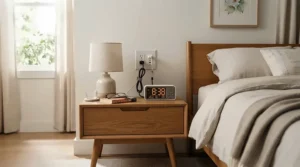
A nightstand with USB outlet sounds simple, but “USB” hides big differences. A USB-A port at 5V/2.4A, as listed for the Fultyle, delivers about 12W. That’s fine for slow overnight charging but sluggish when you wake up and need 40% in twenty minutes. USB-C ports on hubs like the Huuger are generally the faster option. One published test measured around 15W to an iPhone, which is solid for a furniture-integrated port.
What the spec sheet won’t tell you is how the ports share power. Many built-in hubs have a total output budget across all ports, so charging a phone, a tablet and a watch simultaneously may slow each one. If a listing doesn’t state per-port or total wattage, treat the numbers as optimistic and read recent reviews for charging-speed complaints.
Don’t ignore the AC side. The two outlets in most hubs run a lamp, a fan or a phone brick for older devices. They are the reason a nightstand with USB outlet often beats a USB-only table. Keep high-draw appliances off them, and read the rating label on the hub itself before plugging in anything that heats. The ADORNEVE‘s on-off switch is a smart touch, since you can cut the whole hub at night with a flick.
Wireless Charging Pad: Built-In or Add-On?
A built-in wireless charging pad feels magical until your case is too thick or your phone sits half a centimeter off-center. Classic Qi charging relies on coil alignment, so small misplacements slow things down. Qi2 fixes that by adding a ring of magnets, and the original Qi2 spec launched with the same 15W ceiling as the best Qi pads. If you own an iPhone 12 or newer, or a Qi2-ready Android, a built-in pad like the one on the Lvifur is genuinely convenient.
One published test put the HNEBC wireless nightstand at about 10W, slower than a good 15W pad but faster than a basic 5W one. The takeaway is that “wireless” on a nightstand spans a wide speed range, so check the stated wattage.
Add-on pads still have a case. A standalone wireless charging pad such as the Anker MagGo Pad, or a 3-in-1 stand like the Baseus EnerFill FS41 (a Qi2 stand with 15W phone charging plus watch and earbud spots), upgrades easily when standards change. A furniture-integrated pad doesn’t. If you replace phones often, pair a wired-hub nightstand with a separate Qi2 stand. If your phone lives on the same spot nightly, the built-in pad’s simplicity wins. Either way, the pad still needs wall power, which is exactly why a charging hub in the nightstand helps.
Bedside Power Strip vs Built-In Charging Nightstand
A bedside power strip, often an edge-mounted or clamp-on strip with USB-C, gives you outlets without replacing furniture. A built-in charging nightstand gives you the same outlets plus storage and hidden cords. Which is better depends on whether you love your current nightstand.
| Factor | Built-In Charging Nightstand | Bedside Power Strip |
|---|---|---|
| Cord clutter | Hidden behind the cabinet | Visible unless managed |
| Flexibility | Fixed ports; hard to upgrade | Swap strips as standards change |
| Cost | Furniture price, ports included | Cheap add-on |
| Look | Clean, integrated | Clearly an accessory |
| Best For | New builds and refreshes | Keeping a nightstand you love |
A bedside power strip wins on flexibility and cost, especially if you already own solid furniture. The built-in approach wins on aesthetics and tidiness, since the plug and strip are concealed. Either way, both are power strips electrically, so the same rules apply: certified products only, nothing plugged into another strip, and no heater-style loads.
Safety, Certification and Overnight Charging Guide
Charging overnight is routine, but the hardware deserves a quick sanity check. The U.S. Consumer Product Safety Commission notes in its extension cord and power strip safety fact sheet that overloaded cords and strips can create a serious fire hazard. It cites about 2,000 residential fires a year associated with electric cords or plugs. Typical causes include short circuits, too many products on one cord and damaged cords.
Apply that to your bedside:
- Plug the nightstand directly into the wall. Never daisy-chain it through another strip or an extension cord.
- Look for a lab mark. ETL or UL on the hub is a good sign. The Memobarco nightstand lists ETL certification and CARB P2 low-emission wood, which is more transparency than most competitors offer.
- Respect the rating label. Don’t run heaters or high-wattage appliances through the hub.
- Inspect cords. Replace any cracked, worn or warm-to-the-touch cord.
- Leave airflow. Don’t bury chargers under bedding or blankets.
This applies equally to a bedside power strip. Medical devices such as CPAP machines deserve extra caution, so check the device maker’s guidance before routing one through any hub. Certification doesn’t guarantee safety, but it filters out the sketchiest options.
Smart Bedroom Furniture: Features That Actually Matter (And Those That Don’t)
Smart bedroom furniture is a marketing magnet, so filter the hype. Worth paying for: an auto-sensor night light (like the one on the Lvifur), because it makes bathroom trips safer without blinding you. Soft-close drawers (like the LIKIMIO‘s) are worth the money too, since they remove a surprising source of nighttime noise. A hub on-off switch (like the ADORNEVE‘s) is also a practical upgrade.
Nice but optional: app-controlled RGB lighting, which works as a mood piece but can shine bright at night if you leave it on a loud color. The ADORNEVE and HNEBC both offer it. A built-in Bluetooth speaker, like the Memobarco‘s, is convenient for podcasts, but it won’t replace a real audio setup.
Skip unless you love it: flashy extras that add blinking indicators to a room you’re trying to darken. Choose warm, dimmable light and a model with a dimmable or off-by-default indicator. The goal of smart bedroom furniture is fewer interruptions at night, not more.
Long-Term Cost and Maintenance: What You’ll Really Spend
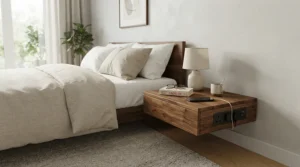
The sticker price isn’t the whole bill. A quick illustration with hypothetical numbers: a $40 nightstand that lasts three years costs about $13 a year, while a $140 piece that lasts eight years costs about $17.50 a year. Cheaper isn’t always better value, but it isn’t always worse either.
| Tier | Price Range | What You Get | Best For |
|---|---|---|---|
| Budget | Roughly $25–$45 | SUPERJARE basics: ports, shelves, light frame | Dorms, guest rooms |
| Mid-range | Roughly $55–$100 | Huuger, LIKIMIO, Fultyle: better build, drawers, style | Primary bedrooms |
| Premium | Roughly $80–$150 | Lvifur, ADORNEVE: wireless, hidden hub, glass or LED extras | Tech-forward users |
| Pair | Roughly $80–$120 per pair | LOAKEKEL set: two units, two hubs | Couples |
For particle-board furniture, the real wear points are drawer slides and fabric panels, not electronics. Wipe surfaces with a dry or barely damp cloth, tighten hardware after the first month, and avoid overloading fabric drawers. The mid-range tier is the sweet spot for most people, since it adds sturdiness without paying for features you may never use. If you’re likely to replace phones soon, don’t overpay for a built-in wireless pad that can’t be upgraded.
Charging Station Nightstand Bedroom: Setup Guide and Your First 30 Days
A charging station nightstand bedroom setup works best when you plan before you plug. Follow this routine:
- Pick the spot. Place the nightstand within cord reach of a wall outlet, ideally with the plug end reachable for unplugging.
- Assemble on a hard surface. Tighten bolts fully, then recheck after a week as particle-board joints settle.
- Plug directly into the wall. No extension cords, as covered in the safety section.
- Route cords through the rear hole. Leave a little slack so plugs aren’t strained when you pull a device.
- Set your night mode. The Sleep Foundation’s technology in the bedroom guidance notes that blinking lights and noises can cause unwanted awakenings and that blue light interferes with melatonin. Turn down screen brightness, enable night mode, and put your phone down about an hour before bed.
Common first-month mistakes: overloading a fabric drawer, leaving an RGB light on a bright color, and forgetting to measure drawer clearance for cords. Check for any loose hardware at day 30, and give the nightstand a once-over for cord wear. Small habits like these turn a good nightstand into a great one.
Real-World Scenarios: Which Nightstand Fits Your Life?
The college student in a dorm (budget: tight, one outlet in the room). A SUPERJARE gives full charging for the lowest outlay, and its light frame moves easily. Mind the building’s electrical rules, since many dorms restrict power strips.
The couple in a small apartment (two phones, one narrow gap). The LOAKEKEL pair gives each person a hub, and the slim footprint squeezes beside the bed. Use the narrow tops for a phone and a lamp, and keep books in the drawers.
The tech-forward iPhone user (nightly routine: drop phone, sleep). A Lvifur with its 15W pad and auto-sensor light fits perfectly. Add a separate AC outlet strip nearby for the bedside lamp, given the lack of listed outlets.
The light sleeper in a master bedroom (noise matters). The LIKIMIO‘s soft-close drawers and remote dimmer help keep the room quiet and dim. For style-first rooms, the Fultyle‘s slim fluted body is the more attractive match.
Each profile matches a spec set to a lifestyle, which is exactly what a spec sheet can’t do on its own.
Common Charging-Nightstand Problems and Quick Fixes
Problem: Phone charges slowly. Switch from the USB-A port to USB-C, and use a quality cable. Remember that some hubs share total output across ports.
Problem: Wireless pad doesn’t start charging. Re-center the phone, remove thick or metal-backed cases, and check that your phone supports Qi. Older Qi charging is alignment-sensitive, as noted in the wireless section.
Problem: Drawers sag. Fabric drawers, like those on the Huuger, can droop under hardcovers. Keep heavy items on shelves or switch to a wooden drawer model such as the Fultyle.
Problem: Cords are a mess behind the unit. Use the rear cable hole, add adhesive cord clips, and leave slack so plugs aren’t strained.
Problem: The nightstand wobbles. Adjust the feet (the Huuger has four adjustable ones) and retighten hardware. If it persists, check that the floor is level.
FAQ
❓ Can I plug a CPAP machine into a nightstand with charging station and USB ports?
❓ How much does a nightstand with USB outlet cost?
❓ Does a wireless charging pad nightstand work through a phone case?
❓ Is a bedside power strip safer than a built-in charging station?
❓ What's the best smart bedroom furniture upgrade on a budget?
Conclusion
A great nightstand with charging station and USB ports does three things well: it powers your devices, hides your cables and holds what you reach for at night. For most people, the Huuger 27.6-Inch Nightstand is the safest all-rounder, thanks to its bed-height top, three drawers and a full set of ports. If budget rules, the SUPERJARE is the cheapest full charging kit here. Wireless fans should look at the Lvifur, but remember it trades AC outlets for the pad.
If you want quiet drawers, choose the LIKIMIO. If style comes first, the Fultyle looks far pricier than it is. For a hidden hub, the ADORNEVE keeps the top clear, and for couples the LOAKEKEL pair makes the math work. Whichever you pick, buy certified hardware, plug it directly into the wall, and measure your space first. Every price range here is approximate and may vary, so check current price before you order.
Recommended for You
- Industrial Nightstand For Farmhouse Bedroom Decor: 7 Best Picks 2026
- Floating Nightstand Vs Standard Nightstand For Tiny Rooms 7 Best 2026
- 7 Best 2-Drawer Nightstands For Small Bedrooms In 2026
Disclaimer: This article contains affiliate links. As an Amazon Associate, I earn from qualifying purchases. If you purchase products through these links, we may earn a small commission at no additional cost to you.
✨ Found this helpful? Share it with your friends! 💬🤗
